As promised, Microsoft today launched the Windows Insider Program, giving those interested an opportunity to try out Windows 10. You can download the Technical Preview now from here.
The process is straightforward:
- Sign up for the Windows Insider Program.
- Read the system requirements.
- one of the Download links on this page to download a special file—it’s called an ISO file—that you can use to install the preview.
- When the download is complete, transfer the ISO file to installation media such as a DVD or USB flash drive.
- Double-tap or double-click setup.exe from the installation media, and then follow the steps.
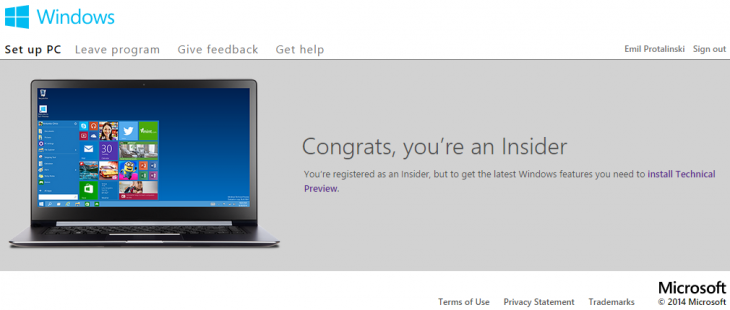
Like with any technology preview, especially an operating system, please don’t use this on any of your productivity computers. There will be bugs and things will break.
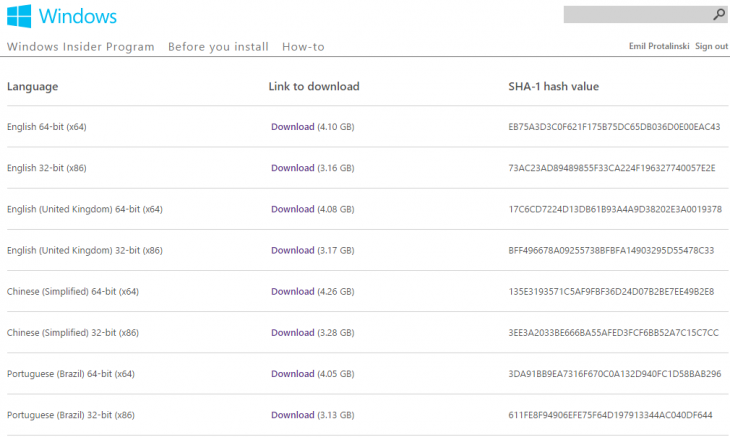
As you can see below, the Technical Preview is available in US English, UK English, Simplified Chinese, and Brazilian Portuguese. Both 32-bit and 64-bit flavors are available, meaning there are eight downloads up for grabs.
For those wondering, the system requirements for the preview are in line with those for Windows 8:
- Processor: 1 gigahertz (GHz) or faster.
- RAM: 1 gigabyte (GB) (32-bit) or 2 GB (64-bit).
- Free hard disk space: 16 GB.
- Graphics card: Microsoft DirectX 9 graphics device with WDDM driver.
- A Microsoft account and Internet access.
Microsoft does warn, however, that “some PC processors and hardware configurations aren’t supported” and “a small number of older, 64-bit CPUs might be blocked from installing the preview.” The preview also won’t work on devices running Windows RT 8.1 or Windows N.
There are also some issues worth knowing right off the bat. You won’t be able to play DVDs using Windows Media Player and Windows 8 Pro with Media Center users should know that installation will remove Windows Media Center.
Microsoft announced Windows 10 yesterday during an event aimed at enterprises. This preview is thus meant for enterprise and power users, so keep that in mind if you’re considering downloading.
The company plans to host more Windows 10 events: early next year it will talk about consumer features, and in April 2015, during its Build conference, it will share more details with developers. If you’re not a business user, that doesn’t mean you shouldn’t join the Windows Insider Program, but you should set your expectations accordingly.
from The Next Web http://feedproxy.google.com/~r/TheNextWeb/~3/FXpfx5PIIZ4/
via IFTTT


0 comments:
Post a Comment